 Contact
 Support
 Wishlist
 Home
Home Categories
 PHP Script
 WP Themes
 WP Plugins
 66Biolinks Plugins
 Tutorial
 Important Links
 Hosting
 Services
 Request Item
 My account
Tech
How to Secure PHP Scripts from SQL Injection (Beginner Guide)
Jun
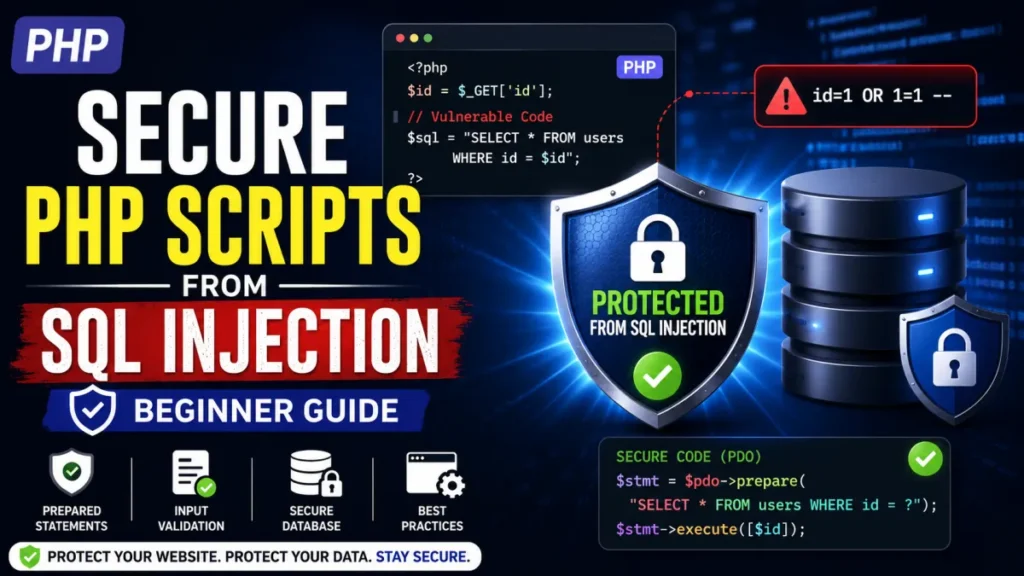
SQL Injection remains one of the most common and dangerous security vulnerabilities affecting PHP applications. A single vulnerable query can allow attackers to access sensitive data, bypass login systems, modify records, or even take control of your database.
The good news is that preventing SQL Injection is not complicated. By following a few modern PHP security practices, you can significantly reduce the risk of attacks. In this beginner-friendly guide, you’ll learn what SQL Injection is, how it works, and the practical steps you can take to secure your PHP scripts and web applications.
What Is SQL Injection?
SQL Injection (SQLi) is a security vulnerability that occurs when user input is inserted directly into SQL queries without proper validation or protection.
Attackers exploit this weakness by injecting malicious SQL commands through forms, search boxes, login pages, URLs, or other input fields.
For example, a vulnerable login query might look like this:
SELECT * FROM users WHERE username='$username' AND password='$password'
If user input isn’t handled safely, attackers can manipulate the query and gain unauthorized access.
Why SQL Injection Is Dangerous
A successful SQL Injection attack can lead to:
- Unauthorized access to user accounts
- Exposure of sensitive customer data
- Database modification or deletion
- Website defacement
- Administrative access escalation
- Complete application compromise
This is why SQL Injection consistently appears in the OWASP Top 10 Web Security Risks.
Use Prepared Statements (Most Important Protection)
The most effective way to prevent SQL Injection is to use prepared statements.
Prepared statements separate SQL commands from user input, ensuring that user data is treated as data rather than executable code.
Example Using PDO
$stmt = $pdo->prepare("SELECT * FROM users WHERE email = ?");
$stmt->execute([$email]);
Instead of directly injecting variables into the query, PHP safely binds the input.
Example Using MySQLi
$stmt = $conn->prepare("SELECT * FROM users WHERE email = ?");
$stmt->bind_param("s", $email);
$stmt->execute();
Both PDO and MySQLi provide strong protection against SQL Injection when used correctly.
Never Trust User Input
A common beginner mistake is assuming users will enter valid data.
In reality, every input field should be considered untrusted.
Validate:
- Email addresses
- Phone numbers
- Usernames
- IDs
- Dates
- Search parameters
Before processing data, you can use tools such as an online text formatter to understand how different input formats behave across applications.
Input validation adds an additional security layer before data reaches your database.
Sanitize Data When Necessary
Validation and sanitization serve different purposes.
- Validation checks whether data is acceptable.
- Sanitization removes unwanted characters or formatting.
For example:
$email = filter_var($email, FILTER_SANITIZE_EMAIL);
Although sanitization alone does not prevent SQL Injection, it helps improve overall application security.
Limit Database User Permissions
Many developers use database accounts with full administrative privileges.
This creates unnecessary risk.
Instead:
Create Separate Database Users
For example:
- Read-only user
- Application user
- Administrative user
Your PHP application should only have permissions it actually needs.
If an attacker compromises the application, limited permissions reduce potential damage.
Keep PHP and Database Software Updated
Outdated software often contains known security vulnerabilities.
Always keep:
- PHP updated
- MySQL or MariaDB updated
- Frameworks updated
- Plugins and third-party packages updated
You can review the latest recommendations in the official PHP security documentation.
Regular updates close known security gaps before attackers can exploit them.
Use Error Handling Carefully
Many developers accidentally expose database details through error messages.
Avoid displaying SQL errors directly to visitors.
Bad example:
echo mysqli_error($conn);
Better approach:
error_log(mysqli_error($conn));
echo "Something went wrong.";
This prevents attackers from learning information about your database structure.
Validate URL Parameters
URL parameters are another common attack vector.
Example:
page.php?id=10
Instead of trusting the value directly, validate it first.
$id = (int) $_GET['id'];
For additional security, combine validation with prepared statements.
When building self-hosted applications, understanding infrastructure and security together is important. You can learn more about deployment considerations in this guide on self-hosted tools vs API-based tools.
Additional Security Best Practices
SQL Injection protection should be part of a broader security strategy.
Enable HTTPS
Encrypt communication between users and your server.
Use Strong Authentication
Implement:
- Strong passwords
- Password hashing
- Two-factor authentication
Monitor User Activity
Logging suspicious activity helps detect attacks early.
Secure File Uploads
If your application accepts uploaded files, validate file types and restrict executable uploads.
For websites that process images, reviewing uploaded content before optimization with tools such as an image optimization utility can help maintain safer workflows.
Common SQL Injection Mistakes Beginners Make
Many vulnerabilities occur because developers:
- Concatenate user input directly into SQL queries
- Rely only on sanitization
- Skip input validation
- Use outdated PHP functions
- Expose database errors publicly
- Give applications excessive database permissions
Avoiding these mistakes dramatically improves security.
FAQs
What is the easiest way to prevent SQL Injection?
Use prepared statements. They separate user input from SQL commands and provide the most reliable protection.
Are prepared statements enough to stop SQL Injection?
Yes, when implemented correctly. However, input validation and proper security practices should also be used.
Does PDO prevent SQL Injection?
Yes. PDO prepared statements protect against SQL Injection by safely binding parameters.
Is SQL Injection still a threat today?
Yes. Despite modern frameworks and security tools, SQL Injection remains one of the most common web application vulnerabilities.
Should I sanitize input before using prepared statements?
Validation is recommended, but prepared statements provide the primary SQL Injection protection.
Can SQL Injection affect small websites?
Absolutely. Attackers often target small websites because they may have weaker security measures.
Conclusion
SQL Injection can have serious consequences, but preventing it is straightforward when you follow modern PHP development practices. Using prepared statements, validating user input, limiting database permissions, and keeping your software updated can dramatically improve your application’s security.
Whether you’re building a small PHP utility website or a large SaaS platform, security should never be an afterthought. Taking these precautions today can save you from costly security incidents in the future.
