 Contact
 Support
 Wishlist
 Home
Home Categories
 PHP Script
 WP Themes
 WP Plugins
 66Biolinks Plugins
 Tutorial
 Important Links
 Hosting
 Services
 Request Item
 My account
Productivity
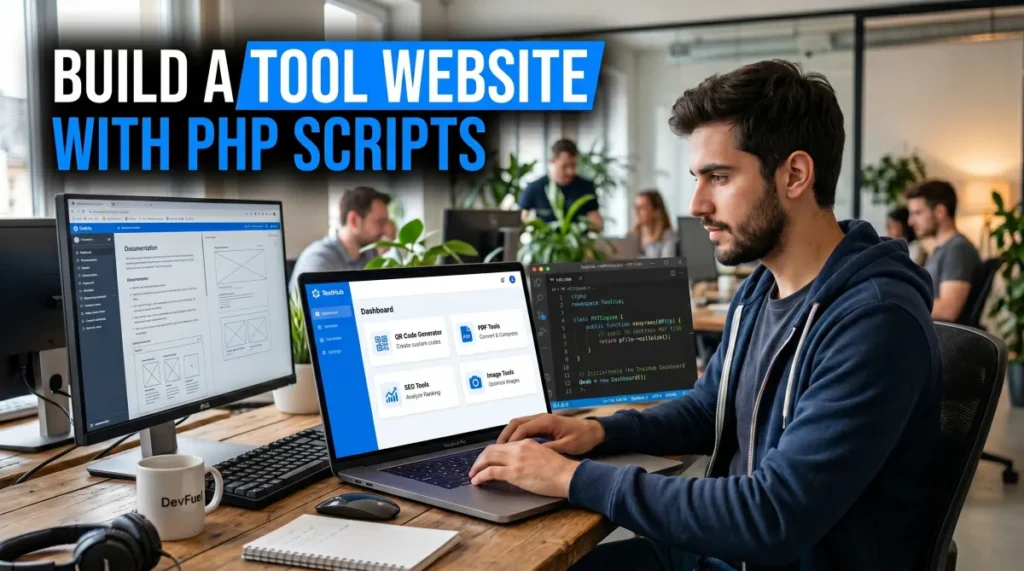
How to Build a Simple Tool Website Using PHP Scripts (Step-by-Step)
Jun
Creating a tool website is one of the easiest ways to attract organic traffic and generate revenue online. Whether you want to build a website that offers image tools, SEO utilities, PDF converters, QR code generators, or text manipulation tools, PHP scripts can help you launch quickly without building everything from scratch.
Instead of spending months developing custom software, you can use ready-made PHP scripts to create a professional tool website in a matter of days. In this guide, you’ll learn exactly how to build a simple tool website using PHP scripts, from choosing the right script to launching and optimizing your site for search engines.
Why Build a Tool Website?
Tool websites are popular because they solve specific problems for users. People search every day for solutions such as image compression, PDF conversion, QR code generation, text formatting, and SEO analysis.
Some advantages of running a tool website include:
- Consistent organic traffic from search engines
- Multiple monetization opportunities
- Low maintenance compared to content-heavy websites
- Scalability through additional tools and features
With the right PHP script, you can launch a complete platform without hiring a development team.
Step 1: Choose Your Tool Website Niche
Before purchasing a script, decide what type of tools you want to offer.
Popular categories include:
SEO Tools
Users frequently search for keyword research, meta tag analysis, and ranking-related tools. You can also provide helpful utilities such as a hashtag generator for content creators and marketers.
Image Tools
Image optimization tools remain highly popular. Features like resizing, compression, and background editing attract regular traffic. Many users also need an online image editing toolkit for quick design tasks.
PDF Tools
PDF-related searches generate significant traffic. Services such as compression, merging, and conversion continue to be in demand. A collection of free PDF utilities can help attract a broad audience.
Utility Tools
Simple tools often perform surprisingly well. Examples include calculators, text converters, generators, and QR code solutions like a QR code creator.
Step 2: Purchase a Ready-Made PHP Script
Building every tool manually is expensive and time-consuming.
Instead, purchase a professionally developed PHP script that already includes:
- Admin dashboard
- User-friendly interface
- Tool management system
- SEO settings
- Responsive design
- Monetization options
You can find ready-made tool website scripts from specialized marketplaces. One option is the Web Hub Exclusive collection available at WebHub Shop, which offers PHP scripts designed specifically for tool websites and online utility platforms.
When evaluating scripts, look for:
- Regular updates
- Mobile responsiveness
- Clean code structure
- SEO-friendly URLs
- Easy customization
Step 3: Get Hosting and a Domain Name
Once you have your PHP script, you’ll need hosting and a domain.
Choose a hosting provider that supports:
- PHP 8+
- MySQL databases
- SSL certificates
- Fast server performance
For a domain name:
- Keep it short
- Make it easy to remember
- Include relevant keywords when appropriate
- Avoid unnecessary hyphens
A simple and brandable domain often performs better in the long run.
Step 4: Install the PHP Script
Most PHP scripts include installation documentation.
The process usually involves:
- Uploading files to your server
- Creating a MySQL database
- Running the installation wizard
- Connecting database credentials
- Configuring website settings
If you’re new to PHP hosting, the official PHP installation documentation can help you understand the environment requirements.
After installation, log into the admin panel and verify that all tools are functioning correctly.
Step 5: Customize Your Website
A generic design rarely stands out.
Spend time customizing:
Branding
Add:
- Logo
- Favicon
- Brand colors
- Custom typography
Navigation
Organize tools into logical categories such as:
- SEO Tools
- Image Tools
- PDF Tools
- Text Tools
- Developer Tools
Good navigation improves both user experience and SEO.
Homepage Structure
Feature your most useful tools prominently.
For example, you might highlight a phone QR code generator or a popular productivity utility on your homepage.
Step 6: Optimize for SEO
SEO is what makes tool websites successful.
Focus on:
Create Dedicated Tool Pages
Each tool should have:
- Unique title
- Meta description
- Introductory content
- Usage instructions
- FAQ section
Improve Technical SEO
Follow recommendations from Google Search Central to ensure your site is crawlable and indexable.
Important factors include:
- Fast loading speed
- Mobile-friendly design
- Structured data
- XML sitemap
- Internal linking
Add Helpful Content
Publishing blog content alongside your tools can significantly increase traffic.
For example, tutorials about PDF editing, QR code usage, image optimization, and SEO best practices can attract long-tail search traffic.
Step 7: Monetize Your Tool Website
Once traffic starts growing, you can generate revenue through multiple channels.
Popular monetization methods include:
- Google AdSense
- Affiliate marketing
- Sponsored placements
- Premium memberships
- Paid API access
- Featured tool listings
Many successful tool websites combine several revenue streams instead of relying on a single source.
Common Mistakes to Avoid
Many beginners make the same mistakes when launching a tool website.
Avoid:
- Using low-quality hosting
- Publishing duplicate content
- Ignoring mobile optimization
- Installing too many unnecessary tools
- Neglecting SEO setup
- Failing to update PHP scripts
A smaller collection of high-quality tools often performs better than hundreds of poorly maintained tools.
FAQs
Is a PHP script enough to build a tool website?
Yes. Most modern PHP scripts include the core functionality needed to launch and manage a professional tool website without custom development.
How much does it cost to start a tool website?
Costs vary, but a basic setup typically includes a domain name, hosting plan, and a PHP script. Many beginners can start for a relatively small investment.
Do I need coding knowledge?
No. Most ready-made PHP scripts include installation guides and admin dashboards that require little or no coding experience.
Which tools generate the most traffic?
PDF tools, image optimization tools, QR code generators, text utilities, and SEO tools are among the most searched categories.
How long does SEO take for a new tool website?
Most websites begin seeing results within a few months, depending on competition, content quality, and backlink acquisition.
Can I add more tools later?
Yes. Most PHP-based tool platforms allow you to expand your website by adding new tools and categories as your audience grows.
Conclusion
Building a simple tool website using PHP scripts is one of the fastest ways to launch an online business in the utility and productivity niche. Instead of developing everything from scratch, you can use a ready-made solution, customize it to your brand, and focus on growing traffic through SEO and valuable content.
Start with a focused set of useful tools, optimize the user experience, and continuously improve your platform based on visitor feedback. Over time, even a small tool website can grow into a valuable digital asset with steady organic traffic and multiple income opportunities.
