 Contact
 Support
 Wishlist
 Home
Home Categories
 PHP Script
 WP Themes
 WP Plugins
 66Biolinks Plugins
 Tutorial
 Important Links
 Hosting
 Services
 Request Item
 My account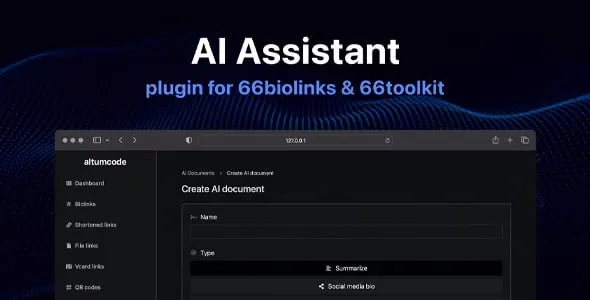
AI Assistant Plugin for 66biolinks Latest Version


Original price was: ₹41,999.00.₹1,999.00Current price is: ₹1,999.00.
✅ Do You Need Any Services : Click Here
✅ Any New Item Request : Click Here
✅ Facing Any Issue (Support) : Click Here
✅ Contact Us (Admin) : Click Here
AI Assistant Plugin for 66biolinks is a comprehensive AI-powered extension that enables users to generate content, images, audio, and conversations directly within the 66biolinks platform. It is designed for creators, marketers, businesses, and SaaS owners who want to offer AI features without building a separate system.
The plugin supports custom AI chatbots, AI image generation, vision-based image analysis, speech-to-text, and text-to-speech conversion. Users can create content using over 50 ready-made AI templates, covering blogging, SEO, social media, ads, emails, coding snippets, and more.
Admins have full control through the admin panel, including template management, AI model configuration per pricing plan, content filtering, analytics, and usage limits. The plugin includes built-in protections such as anti-NSFW filtering to prevent misuse and protect API keys.
Fully integrated with 66biolinks, the AI Assistant Plugin supports data filtering, data export, admin statistics, and centralized settings—making it ideal for SaaS platforms offering AI-powered features.
✅ Core AI Features
-
Custom AI chatbots
-
AI Vision (upload images & ask questions)
-
AI image generation (Stable Diffusion & OpenAI DALL·E v2/v3)
-
AI speech-to-text converter
-
AI text-to-speech converter
✅ AI Templates (50+ Included)
-
Blog articles, intros, outlines & outros
-
SEO titles, descriptions & keywords
-
Social media posts, bios & hashtags
-
Ads (Google, Facebook, LinkedIn, TikTok)
-
Emails (welcome, outreach)
-
Coding snippets (Python, PHP, JS, HTML, CSS, SQL)
-
Rewrite, summarize, grammar fix, translate
-
Reviews, quotes, jokes, lyrics
-
Startup ideas, viral ideas, name generator
-
Custom prompt support
✅ Platform & Admin Features
-
Fully custom templates & categories (admin-managed)
-
Anti-NSFW content filtering (violence, hate, explicit text)
-
AI model configuration per pricing plan
-
Data filters & data export
-
Admin panel statistics & usage tracking
-
Centralized plugin settings & management
-
Seamless integration with 66biolinks core system
✅ Installation Guide (Simple Steps)
-
Download and unzip the plugin package
-
Copy the ai-assistant folder into the plugins directory of your main 66biolinks installation
-
Go to Admin Panel → Plugins Management
-
Enable the AI Assistant Plugin
The plugin becomes active immediately after enabling.
✅ Requirements
-
A valid 66biolinks license
-
Must be running the latest version of 66biolinks
-
AI provider API keys (as configured by admin or users)
1 review for AI Assistant Plugin for 66biolinks Latest Version
Add a review
Related products

66Biolinks Plugins

66Biolinks Plugins
66Biolinks Plugins
Pro blocks plugin (66biolinks plugins) Latest Version v10.0.0
66Biolinks Plugins
Payment blocks plugin (66biolinks plugins) Latest Version v4.3.0

66Biolinks Plugins
66Biolinks Plugins
Push Notifications Plugin for 66biolinks Latest Version v3.1.0
66Biolinks Plugins
66Biolinks Plugins
RK pahadi –
Nice 👍