 Contact
 Support
 Wishlist
 Home
Home Categories
 PHP Script
 WP Themes
 WP Plugins
 66Biolinks Plugins
 Tutorial
 Important Links
 Hosting
 Services
 Request Item
 My account
Productivity
Image Compression Script vs API: Which Is Better for Small Sites?
Jan
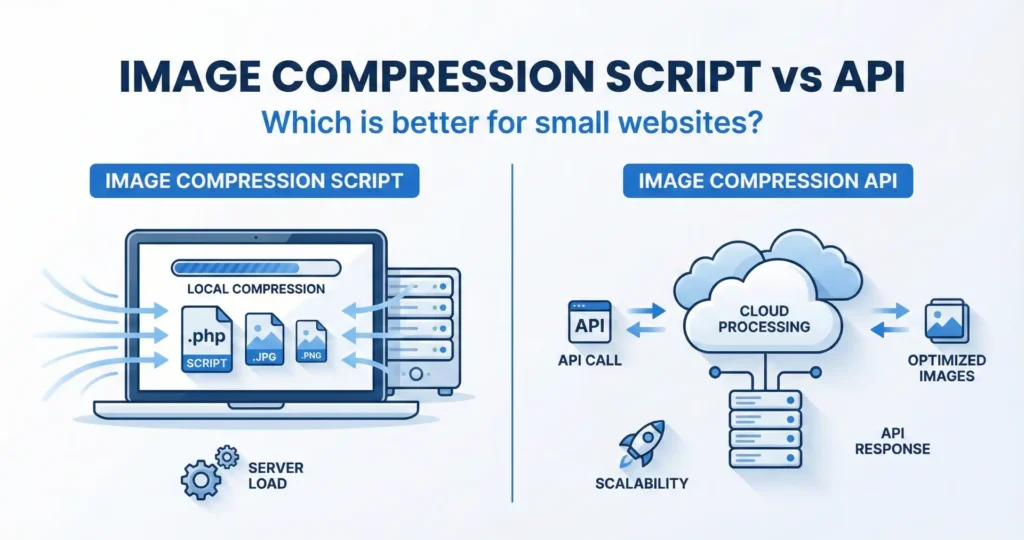
Every small website struggles with one silent performance killer: large images. Heavy image files slow down pages, hurt SEO, and drive visitors away. The solution is image compression—but there are two ways to do it: using a self-hosted image compression script or using a cloud-based API. For small websites, choosing the wrong option can mean higher costs, slower speeds, or more technical headaches. In this guide, we compare both approaches in simple terms so you can pick the best one for your site and budget.
Why Image Compression Matters for Small Websites
Images usually make up more than 60% of a webpage’s size. If they are not optimized, your site loads slowly, especially on mobile networks.
Google has confirmed that page speed is a ranking factor. You can check how images affect your performance using tools like Google PageSpeed Insights:
https://pagespeed.web.dev/
Compressing images helps you:
- Improve loading speed
- Save bandwidth
- Rank higher in search engines
- Reduce server and CDN costs
Now let’s see how scripts and APIs handle this task.
What Is an Image Compression Script?
An image compression script is a PHP, Node, or Python tool that runs on your own server. You upload an image, and the script compresses it locally.
Tools like the Toolszu Image Compressor use this method to provide fast, browser-based compression without uploading files to third-party servers.
Key Features
- Runs on your hosting server
- No per-image cost
- Full control over files
- Works offline once installed
What Is an Image Compression API?
An API sends your image to a cloud service such as TinyPNG, Cloudinary, or ImageKit. The server compresses the file and sends it back.
These services are powerful and convenient, but they are not always ideal for small websites.
Image Compression Script vs API: Core Differences
1. Cost
Scripts:
You pay once (or nothing) and use it forever. Your only cost is hosting.
APIs:
Most charge per image or per GB. As traffic grows, so does your bill.
For small sites and startups, predictable costs matter more than premium features.
2. Speed
Scripts:
Images stay on your server, so there is no upload or download delay.
APIs:
Each image must travel to a remote server and back. On slow connections, this adds latency.
Local tools like the Toolszu Bulk Image Compressor avoid this problem completely.
3. Privacy and Data Control
Scripts:
Images never leave your server. This is critical for client photos, documents, or private files.
APIs:
Your images pass through a third-party system. That may violate client agreements or privacy rules.
If you handle user-generated content, scripts are safer.
4. Ease of Setup
Scripts:
You need to install and configure them. That takes time but only once.
APIs:
You just plug in an API key. This is easier at the start.
For developers, scripts are a one-time setup. For non-technical users, APIs feel simpler.
5. Scalability
Scripts:
Limited by your server’s CPU and RAM.
APIs:
Cloud services scale automatically.
For small websites, this is rarely an issue. Even shared hosting can compress thousands of images per day.
When an Image Compression Script Is Better
You should use a script if:
- You run a small to medium website
- You want zero monthly fees
- You handle private or client images
- You need fast local processing
This is why many webmasters use self-hosted tools or browser-based solutions like Toolszu’s Online Image Optimizer.
When an Image Compression API Makes Sense
An API is better if:
- You process millions of images
- You run a large SaaS or marketplace
- You need AI-based enhancements
For a blog, portfolio, or small SaaS, this is often overkill.
SEO Impact: Scripts vs APIs
Search engines do not care how you compress images. They care about the result.
What matters is:
- File size
- Format (WebP, AVIF, JPG)
- Loading speed
A well-configured script produces the same or better output as an API. You can verify compression quality using Toolszu’s Image File Size Checker.
Common Mistakes Small Site Owners Make
- Paying monthly for APIs they barely use
- Sending private images to third-party servers
- Using scripts without enabling WebP
- Compressing too aggressively and ruining quality
Always balance size and visual clarity.
FAQ – Image Compression Scripts vs APIs
Which is cheaper for small websites?
A script is cheaper because there are no per-image fees.
Is an API more powerful?
Yes, but small sites rarely need that extra power.
Are self-hosted scripts secure?
Yes, because files never leave your server.
Do APIs improve SEO more?
No. SEO depends on image size and speed, not the method.
Can I switch later?
Yes. You can start with a script and move to an API if your traffic grows.
Final Verdict
For small websites, an image compression script is usually the smarter choice. It is faster, cheaper, and gives you full control over your files. APIs are great for massive platforms, but most small site owners never use their advanced features.
If you want a simple way to optimize images without subscriptions or privacy risks, try a browser-based compression tool like Toolszu’s image utilities and see the difference yourself.
